We Use CookiesWe use cookies to enhance the security, performance, functionality and for analytical and promotional activities. By continuing to browse this site you are agreeing to our privacy policy

10 Best 3D Printers 2025 in the United States

How do we rank products for you?

Our technology thoroughly searches through the online shopping world, reviewing hundreds of sites. We then process and analyze this information, updating in real-time to bring you the latest top-rated products. This way, you always get the best and most current options available.

headphones-stars

Our Top Picks

#1

Winner

FLASHFORGE AD5X Multi-Color 3D Printer, CoreXY 600mm/s High-Speed, 1-Click Auto Leveling, 300°C Direct Drive Extruder, 220x220x220mm Build Volume, Ideal for Precision and Efficiency

Rating
10.0
Chosen by1,466
Print Speed
Material Compatibility
Connectivity

Most important from
288 reviews

Print Speed
Its high-speed printing capability stands out, providing incredibly fast prints without compromising quality.
Material Compatibility
Multi-color printing adds creative versatility, making it ideal for producing vibrant, detailed models.
Connectivity
Remote printing via WiFi and software like Orca-FlashPrint enhances convenience, eliminating the need to transfer files physically.
Ease of Use
The printer delivers excellent print quality right out of the box, with auto calibration and bed leveling working smoothly for a hassle-free setup.

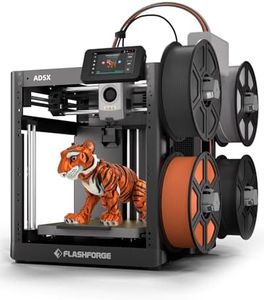
The FLASHFORGE AD5X is a capable multi-color 3D printer designed for users seeking vibrant, detailed prints with good speed. It uses CoreXY print technology allowing high-speed printing up to 600mm/s, which is much faster than many standard printers, making it a good choice if you want to complete projects quickly. The build volume is 220x220x220mm, which suits small to medium-sized models but might feel limiting for very large prints. It supports up to 4 colors simultaneously, adding creative flexibility beyond typical single-color printers.

The 300°C direct drive extruder and interchangeable nozzles (ranging from 0.25mm to 0.8mm) let you switch between fine details and faster, bigger layers. Features like 1-click auto leveling, automatic filament feeding, and resume printing after power loss enhance ease of use, particularly for beginners or busy users. Remote monitoring through a phone app adds convenience.

On connectivity, it works with personal computers. Weighing around 24 pounds with a sturdy metal frame, it’s stable but less portable. The AD5X impresses with speed, multi-color support, and user-friendly design, making it suitable for hobbyists or professionals focused on efficient, colorful prototypes and models, though the moderate build size may be a limitation for very large prints.

Rating
10.0
Chosen by1,466
Print Speed
Material Compatibility
Connectivity

Most important from
288 reviews

Print Speed
Its high-speed printing capability stands out, providing incredibly fast prints without compromising quality.
Material Compatibility
Multi-color printing adds creative versatility, making it ideal for producing vibrant, detailed models.
Connectivity
Remote printing via WiFi and software like Orca-FlashPrint enhances convenience, eliminating the need to transfer files physically.
Ease of Use
The printer delivers excellent print quality right out of the box, with auto calibration and bed leveling working smoothly for a hassle-free setup.
#2

FLASHFORGE Adventurer 5M Pro 3D Printer with 1 Click Auto Printing System, 600mm/s High-Speed, Quick Detachable 280°C Nozzle, Core XY All-Metal Structure, Multi-Functional 220x220x220mm 3D Printer

Rating
9.7
Print Technology
Build Volume
Print Speed

Most important from
3170 reviews

Print Technology
Print quality is consistently excellent, capable of handling a wide range of materials including PETG and specialty filaments without fuss.
Build Volume
Its compact build volume is ideal for hobbyists and small functional parts, perfectly balancing size and versatility.
Print Speed
The printer works perfectly right out of the box with no need for tuning, bed leveling, or adjustments, delivering fast and flawless prints.
Connectivity
Setup is remarkably simple—just unbox, connect to WiFi, run self-calibration, and start printing within minutes, even for complete beginners.
Ease of Use
Setup is remarkably simple—just unbox, connect to WiFi, run self-calibration, and start printing within minutes, even for complete beginners.

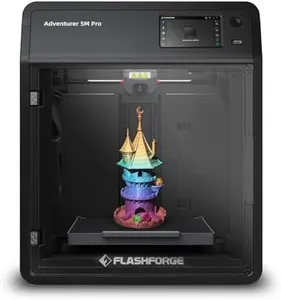
The FLASHFORGE Adventurer 5M Pro is a well-rounded 3D printer designed to cater to a wide range of users, especially those seeking a balance between speed and quality. It uses Core XY print technology with a sturdy all-metal frame that ensures stability, allowing it to print quickly—up to 600mm per second—without sacrificing detail. The build volume of 220x220x220mm is fairly standard and suits most hobbyist projects or small functional parts.

A standout feature is its ease of use: the printer includes automatic bed leveling with pressure sensing, eliminating the need for manual bed adjustments. This, combined with its quick nozzle heating (up to 200°C in 35 seconds) and a removable dual-sided PEI platform, simplifies setup and post-printing cleanup. The included mobile app provides remote monitoring and control, adding convenience for users who want to keep an eye on prints without being near the machine.

Material compatibility is broad, supporting common filaments like PLA, ABS, and PETG, plus specialty materials including TPU and carbon-fiber infused variants. The nozzle can reach up to 280°C, allowing for these diverse materials. This makes the printer versatile enough for creative projects and more durable prototype parts. The printer weighs over 30 pounds and is moderately sized, requiring some space but not being overly bulky.

This printer is well suited for users who want an easy-to-use, fast, and versatile 3D printer with smart features and good material support. It is particularly beneficial for beginners or intermediate users who value convenience and speed while maintaining good print quality.

Rating
9.7
Print Technology
Build Volume
Print Speed

Most important from
3170 reviews

Print Technology
Print quality is consistently excellent, capable of handling a wide range of materials including PETG and specialty filaments without fuss.
Build Volume
Its compact build volume is ideal for hobbyists and small functional parts, perfectly balancing size and versatility.
Print Speed
The printer works perfectly right out of the box with no need for tuning, bed leveling, or adjustments, delivering fast and flawless prints.
Connectivity
Setup is remarkably simple—just unbox, connect to WiFi, run self-calibration, and start printing within minutes, even for complete beginners.
Ease of Use
Setup is remarkably simple—just unbox, connect to WiFi, run self-calibration, and start printing within minutes, even for complete beginners.
#3

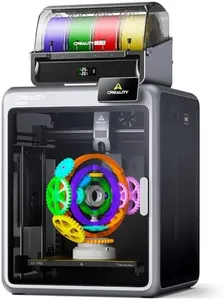
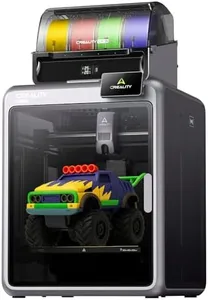
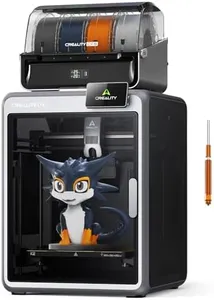
Creality K2 Pro Combo (A) 3D Printer, Multicolor 3D Printer with CFS, 600mm/s Max High-Speed, Dual AI Camera, Fully Assembled Auto Leveling, 300x300x300mm Large Print Volume, for Pros & Hobbyist

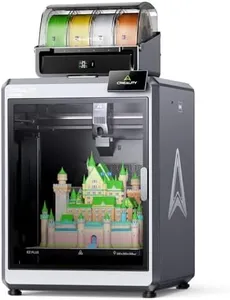
The Creality K2 Pro Combo is a high-end 3D printer designed for both professionals and hobbyists who want to print multicolor and multi-material models. It supports up to 16 colors through its unique filament system, although it comes with just one filament unit initially. With a spacious build volume of 300x300x300 mm, it can handle large prints like helmets or multiple smaller items in one go. The printer uses a sturdy metal frame and a stable dual Z-axis design, ensuring reliability and precision during printing.

Speed is a notable strength, with printing speeds up to 600 mm/s, which is much faster than many competitors, while maintaining quiet operation thanks to smart motor and fan design. The machine is equipped with dual AI cameras that monitor prints for failures and adjust nozzle flow automatically, making it easier for beginners to achieve good results without constant supervision. It supports professional-grade materials like ABS and carbon-fiber blends thanks to a heated chamber and a durable steel nozzle. Connectivity options cover laptops, PCs, and smartphones, and the included software offers helpful presets and cloud features to streamline workflow.

The printer is quite heavy and large, which could make setup and space requirements a challenge. To fully unlock its multicolor potential, purchasing additional filament system units is necessary, which adds to the cost. Although it has many advanced features, some beginners might find the technology slightly overwhelming at first. This printer represents a powerful and versatile choice for those serious about multicolor and multi-material 3D printing, offering speed, precision, and smart features, though it comes with a higher price and learning curve.

Buying Guide for the Best 3D Printers

Choosing the right 3D printer can be a game-changer for your projects, whether you're a hobbyist, an educator, or a professional. The key to making the best choice is understanding the various specifications and how they align with your needs. By focusing on the most important specs, you can ensure that you select a 3D printer that will meet your expectations and help you achieve your goals.
Print TechnologyPrint technology refers to the method a 3D printer uses to create objects. The most common types are FDM (Fused Deposition Modeling) and SLA (Stereolithography). FDM printers are generally more affordable and easier to use, making them ideal for beginners and general use. SLA printers offer higher resolution and better detail, which is great for intricate designs and professional applications. Choose FDM if you need a versatile and user-friendly option, and opt for SLA if precision and detail are your top priorities.
Build VolumeBuild volume is the maximum size of an object that a 3D printer can produce, measured in three dimensions (length, width, and height). This spec is crucial because it determines the scale of your projects. Small build volumes (up to 150mm in each dimension) are suitable for miniatures and small parts. Medium build volumes (150mm to 300mm) are good for most hobbyist projects and educational purposes. Large build volumes (over 300mm) are necessary for bigger prototypes and professional use. Consider the size of the objects you plan to print when choosing the build volume.
Layer ResolutionLayer resolution, measured in microns, indicates the thickness of each layer of material that the printer lays down. This spec affects the smoothness and detail of the final print. Lower resolutions (100 microns and above) are faster and suitable for basic models and prototypes. Medium resolutions (50 to 100 microns) offer a good balance between speed and detail, ideal for most users. High resolutions (below 50 microns) provide the finest detail and smoothest surfaces, perfect for detailed models and professional applications. Match the layer resolution to the level of detail you need in your prints.
Print SpeedPrint speed, measured in millimeters per second (mm/s), determines how quickly a 3D printer can produce an object. Faster print speeds can save time but may compromise print quality. Slow speeds (up to 50 mm/s) are best for high-detail prints and complex geometries. Medium speeds (50 to 100 mm/s) offer a good balance for most users, providing decent quality and reasonable print times. High speeds (over 100 mm/s) are suitable for rapid prototyping where detail is less critical. Choose a print speed that aligns with your need for speed versus the quality of the final product.
Material CompatibilityMaterial compatibility refers to the types of filament or resin a 3D printer can use. Common materials include PLA, ABS, PETG, and resin. PLA is easy to use and great for beginners and general use. ABS is more durable and heat-resistant, suitable for functional parts. PETG combines the ease of PLA with the strength of ABS, making it versatile. Resin offers high detail and smooth finishes, ideal for professional and artistic applications. Consider what materials you need for your projects and ensure the printer supports them.
ConnectivityConnectivity options determine how you can send print jobs to your 3D printer. Common options include USB, SD card, Wi-Fi, and Ethernet. USB and SD card are straightforward and reliable, suitable for direct and offline printing. Wi-Fi and Ethernet offer convenience and remote access, allowing you to send jobs from your computer or mobile device. If you prefer a simple setup, USB or SD card might be sufficient. For more flexibility and ease of use, especially in a networked environment, consider a printer with Wi-Fi or Ethernet capabilities.
Ease of UseEase of use encompasses features that make a 3D printer user-friendly, such as touchscreen interfaces, auto bed leveling, and pre-assembled units. These features can significantly reduce the learning curve and setup time. Beginners and casual users will benefit from printers with intuitive interfaces and automated features. More experienced users might prioritize other specs but still appreciate a printer that is easy to maintain and operate. Assess your comfort level with technology and choose a printer that matches your experience and willingness to tinker.

FAQ